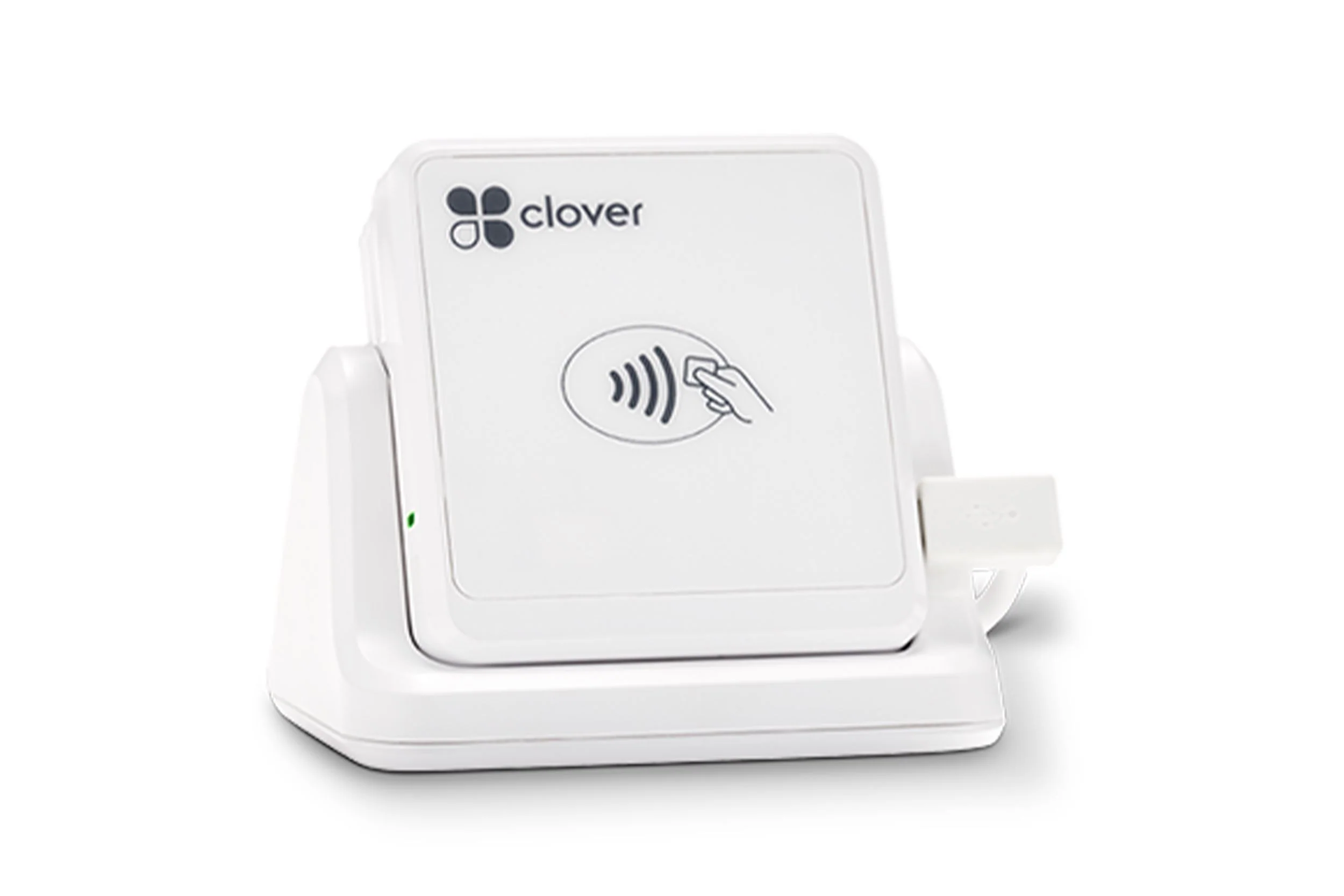
Clover Go is an app and a small reader rather than a terminal. The app runs on an iOS or Android device you already own; the reader adds chip and contactless acceptance, including NFC wallets, and clips onto a dock if the device needs to sit on a counter.
It is the lightest way to start taking cards, and the right answer where a business has no fixed address to put a terminal in.
02
Key features
What it does, straight.
Works on the phone you haveA free app on iOS or Android, with the reader adding chip and contactless.
Optional countertop dockMounts the reader on a counter when the sale does happen at a fixed point.
Take payment without a connectionCards, contactless, checks and cash can be accepted with or without an internet connection.
Real-time sales trackingSales visible from anywhere rather than only at the till.
Roles, permissions and 2FAFingerprint login, two-factor authentication and encrypted transactions.
03
Specifications
What is actually in the box.
Only what the Product Library holds for this device. A line that is not
listed here has not been confirmed, and is worth asking about rather than assuming.
System
Host device
iOS or Android phone or tablet running the Clover Go app
Card acceptance
Payment methods
Chip insert and contactless, including NFC mobile wallets such as Apple Pay and Google Pay
Physical
Reader dimensions
3.17 in x 2.21 in x 0.46 in
Reader weight
2.3 oz
Dock dimensions
3.5 in x 3.2 in x 1.5 in
Dock weight
7.5 oz
04
Documents
The paperwork, before you ask for it.
Published specification sheets and guides for this device. Each opens
in a new tab, and the size is shown before you commit to the download.
$5,000 welcome bonus when you move your restaurant to Highline Payments.
Restaurant-ready POS, pay-at-table handhelds and equipment with no upfront cost for qualifying merchants. We start with a statement analysis — nothing changes until the numbers make sense.