
Clover Kiosk
A self-order kiosk with its own payment terminal and printer, pulling its menu from your Clover POS.
- 24-inch commercial touchscreen
- Menu synced from your Clover POS
- Built-in receipt printer
- Adjustable floor stand
- Anti-fingerprint and anti-glare screen
- Pick-up and dine-in orders
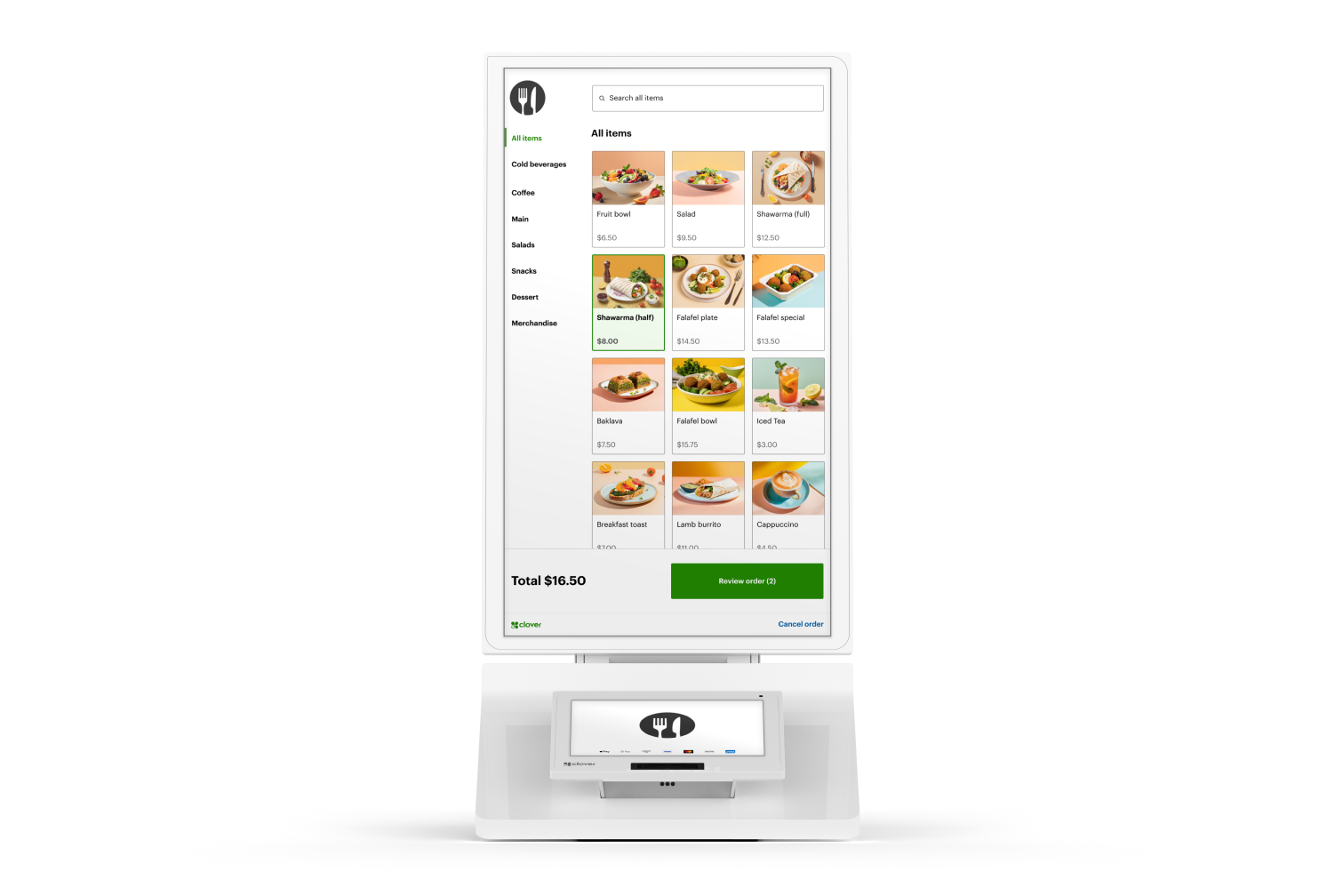
What this device is for.
Clover Kiosk lets customers order for themselves: a 24-inch commercial touchscreen with an 8-inch payment terminal beside it and a receipt printer built in. The menu is pulled from the Clover POS the rest of the business already runs, so items and pricing stay in step without anybody maintaining a second list.
It is a quick-service answer rather than a general one — somewhere with a queue, a menu that customers browse, and orders that can go straight to the kitchen.
What it does, straight.
- 24-inch commercial touchscreen With an 8-inch payment terminal alongside it, ready without installation.
- Menu synced from your Clover POS Items and pricing pulled directly, so there is no second menu to maintain.
- Built-in receipt printer Standard 3-1/8 inch thermal receipt paper.
- Adjustable floor stand Height-adjustable for wheelchair accessibility.
- Anti-fingerprint and anti-glare screen Coated for a screen that strangers touch all day.
- Pick-up and dine-in orders Order type handled at the kiosk and passed through to the kitchen.
What is actually in the box.
Only what the Product Library holds for this device. A line that is not listed here has not been confirmed, and is worth asking about rather than assuming.
Display
- Customer screen
- 24-inch commercial-grade touchscreen with anti-fingerprint and anti-glare coating
- Payment terminal
- 8-inch payment terminal
Printer
- Receipt printer
- Built in; standard 3-1/8 inch thermal receipt paper
Physical
- Mounting
- Adjustable floor stand for wheelchair accessibility
The paperwork, before you ask for it.
Published specification sheets and guides for this device. Each opens in a new tab, and the size is shown before you commit to the download.
The rooms this one is usually chosen for.
-
Quick-service restaurants
Where the queue is the constraint and customers are happy to order for themselves.
-
Counter service with a browsable menu
Customers customise at their own pace instead of at the front of a queue.
Other equipment on the same account.
Not sure this is the one?
Say what the room is and what happens around the payment. That narrows it to two options faster than a specification sheet does.