
Clover Kitchen Display System
Clover KDS
A 14-inch kitchen display that replaces paper tickets and syncs the kitchen with the front of house.
- 14-inch kitchen display
- Built for heat
- Syncs with Clover POS and online ordering
- Runner tickets when you want them
- Bi-directional alert speakers
- Fulfillment reporting
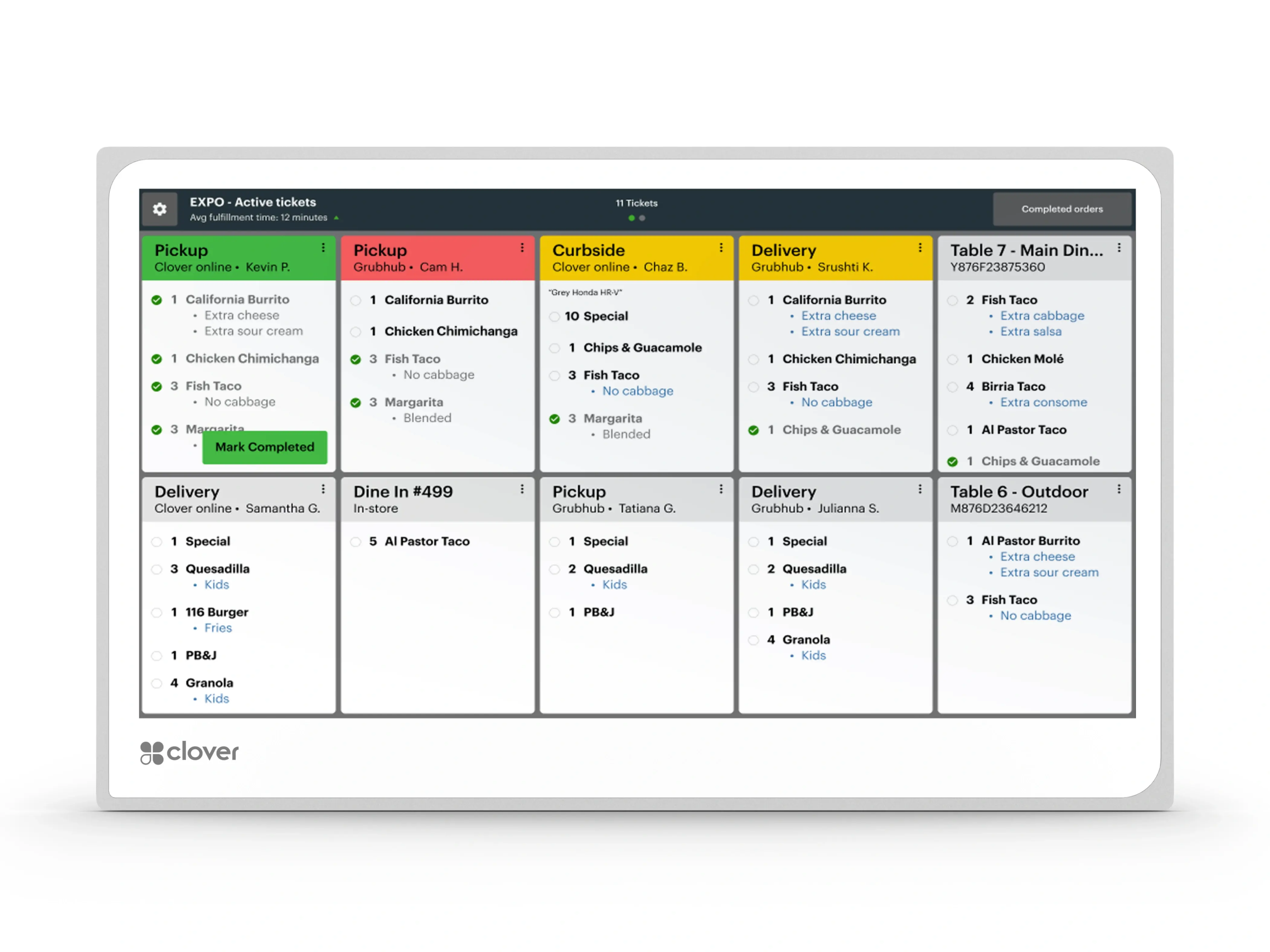
What this device is for.
The Kitchen Display System puts orders on a screen in the kitchen instead of on a printer. Orders placed on any Clover device — or through Clover Online Ordering — arrive on it directly, with ticket times and order status visible in one place.
The hardware is built for the room it lives in: temperature-resistant aluminum rated to 122°F, an anti-fingerprint coating, and speakers loud enough to be heard over a kitchen.
What it does, straight.
- 14-inch kitchen display Expanded display sized for viewing across a kitchen.
- Built for heat Temperature-resistant aluminum construction rated to 122°F.
- Syncs with Clover POS and online ordering Orders from any internet-enabled Clover device fire straight to the screen.
- Runner tickets when you want them Prints to a network-connected printer directly from the KDS.
- Bi-directional alert speakers 85 dB at 0.1 m, for kitchens that are not quiet.
- Fulfillment reporting Prep time and move metrics reported per ticket.
What is actually in the box.
Only what the Product Library holds for this device. A line that is not listed here has not been confirmed, and is worth asking about rather than assuming.
Display
- Screen
- 14-inch, with anti-fingerprint coating
Connectivity
- Network
- Wi-Fi and LAN, including PoE+ (IEEE 802.3at)
Physical
- Construction
- Temperature-resistant aluminum, rated to 122°F
- Mounting
- Compatible with third-party wall and shelf mounting equipment
Audio
- Speakers
- Bi-directional, 85 dB at 0.1 m
The paperwork, before you ask for it.
Published specification sheets and guides for this device. Each opens in a new tab, and the size is shown before you commit to the download.
The rooms this one is usually chosen for.
-
Kitchens running paper tickets
One screen instead of a printer, a spike and lost tickets.
-
Restaurants taking online orders
Online and in-room orders arriving in the same queue.
Other equipment on the same account.
Not sure this is the one?
Say what the room is and what happens around the payment. That narrows it to two options faster than a specification sheet does.